






Is Your Projector Ruining the Movie?
Imagine this: you’ve dimmed the lights and the movie is reaching its most emotional, quiet moment. Suddenly, all you can hear is a loud, whirring sound coming from your projector. It sounds more like a jet taking off than a home cinema.
If your fan is constantly screaming or your Google TV projector feels like a space heater, you aren't alone. This isn't just annoying—it’s a sign of thermal stress. This guide will take you from scientific diagnosis to the ultimate "permanent" silence.
Scientific Diagnosis: Understanding "Normal" Noise
Before fixing it, we must benchmark your device. Every projector requires airflow, but there is a line between "breathing" and "struggling."
| Noise Level | Subjective Experience | Status |
|---|---|---|
| < 25 dB | A soft whisper | Elite (Premium/Sealed units) |
| 25–35 dB | A quiet library | Standard (Quality home cinema) |
| > 45 dB | Intrusive/Affects conversation | Action Required (Diagnosis needed) |
The "Sensory" Listen-and-Check Table
Use your eyes and ears to find the problem before you start cleaning.
| Sensory Feature | What you notice | Most Likely Cause | Priority |
|---|---|---|---|
| Hear: Revving | Fan speed goes up and down | Heat Trap: It’s breathing its own hot air | ⭐⭐ (Move it) |
| Hear: High Pitch | Projector has high pitched noise in audio sometimes | Interference: Bad cables or motor friction | ⭐⭐⭐ (Check wires) |
| Touch: Shaking | The projector case feels shaky | Imbalance: Dust is stuck on the fan blades | ⭐⭐⭐ (Damping pads) |
| See: Slow Air | Fan is loud but no air comes out | Clogged Vents: Dust has blocked the airflow | ⭐⭐⭐⭐ (Clean it) |
Root Cause Analysis: Why Do Projectors Get Louder?
Understanding the "why" helps prevent future damage.
- Dust (The Silent Killer): Dust acts as a thermal blanket on heatsinks. The fan must spin faster to move the same amount of heat, leading to projector overheating.
- Thermal Recirculation: Placing a unit in a tight cabinet or near a wall causes it to inhale its own hot exhaust, entering an infinite heating loop.
- Component Aging: Thermal paste dries out over several years, blocking efficient heat transfer from the chip to the heatsink.
- Mechanical Fatigue: Fan bearings lose lubrication, turning a smooth whir into metallic friction.
Crisis Management: The Emergency Overheating Protocol
If your projector is currently screaming or has suddenly shut down with a flashing "Temp" light, stop everything and follow these steps:
- Do Not Unplug Immediately: Keep the power cable connected for 5-10 minutes. This allows the fans to finish cooling the delicate internal components even if the lamp is off.
- Clear Obstructions: Check if a book, curtain, or dust bunny has blocked the intake vent.
- Cool Down Period: Let the unit sit for at least 60 minutes. Restarting a hot unit can cause the light source to fail or pop.
- Immediate Setting Adjustment: Once restarted, switch to ECO mode immediately to lower the thermal floor.
The Professional 4-Level Maintenance Strategy
Level 1: Environmental Optimization (0 Cost)
- Enable ECO mode: This reduces light output slightly but can drop noise by 3–5dB instantly.
- Hard Surfaces Only: Never place a projector on a bed, rug, or sofa. These block bottom vents.
- The 15cm Rule: Ensure at least 15cm (6 inches) of clear space on all sides for fresh airflow.
Level 2: Standard Maintenance (DIY - High Caution)
[Critical Safety] Unplug the projector and let it cool for 1 hour. A hot bulb is fragile and can shatter if moved.
- Filter Hygiene & Warnings: * Check the Manual First: Some filters are washable (foam/plastic mesh), while others are HEPA-style paper. Never wash a paper filter. * The "Bone-Dry" Rule: If you wash a foam filter, it must air dry for 24 hours. It must be 100% bone-dry before reinsertion. Even a single drop of moisture can be sucked into the high-voltage power supply, causing a short circuit or a terminal failure.
- External Dusting: Never blow into the vents with your mouth. Saliva can cause "cold spots" on the lens or cause electrical corrosion.Use a soft anti-static brush and a low-power vacuum to clear grilles.
Level 3: Advanced Maintenance (Stop & Read Carefully)
Before proceeding with deeper cleaning, you must evaluate the risk to your investment:
- Check Your Warranty: Stop! Do not attempt to open the projector chassis if your warranty is still active. Most manufacturers use "Warranty Void if Removed" stickers over screw holes. Private disassembly will disqualify you from free repairs.
- The Risk of Static: Modern Google TV projectors are sensitive computers. A single static discharge from your finger can fry the motherboard.
- Professional Servicing: If Level 1 and 2 cleaning did not work, we highly recommend sending the unit to an authorized service center for an internal deep clean.
If (and only if) you are out of warranty and choose to proceed at your own risk:
Compressed Air Safety: * The Tool: A specialized gas duster (Compressed Air).
- The Action: Always keep the can completely upright and use short, 1-second bursts. Before aiming at the vents, spray a "test burst" into the empty air.
-
The Risk: Never shake or tilt the can. If you tilt it, "liquid ice" shoots out, causing "thermal shock" that can crack your internal lens or the DMD chip instantly.
Level 4: The "Permanent" Fix — Upgrading to Sealed Technology
The most effective way to solve noise and dust issues is to choose a projector with a Fully Enclosed Optical Engine. Traditional "open" projectors blow air directly over the optics, meaning they always get louder as dust enters the light path.

The Ultimate Solution: ETOE’s Sealed Technology
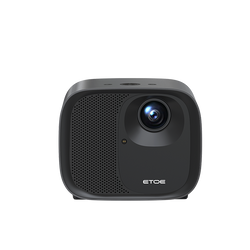
When it comes to value and long-term performance, ETOE Projectors have set a high standard. While many brands use "open" designs that degrade quickly, ETOE specializes in Fully Enclosed Optical Engine technology across nearly their entire lineup.
By utilizing a Fully Sealed Optical Engine, ETOE protects the light path from 100% of dust. This allows the cooling system to focus only on external heatsinks with larger, slower, and quieter fans.
Recommendation: ETOE Seal Pro Projector
The ETOE Seal Pro is the gold standard for a quiet Google TV projector:
- 1300 ANSI Lumens: High brightness without the "jet engine" sound.
- Fully Sealed Design: No internal dust means zero "noise climb" or "black spots" over years of use.
- Cinematic Silence: A steady, low-frequency hum that disappears once your movie starts.

Professional Maintenance Calendar
| Frequency | Task | Professional Risk & Action Notes |
|---|---|---|
| Monthly | Visual & Cable Check: Ensure all cables are securely plugged in. Gently wipe exterior vents with an anti-static cloth. | Risk: Loose cables can cause the projector to have high-pitched noise in audio. Ensure a tight connection to avoid electrical hum. |
| Quarterly | Filter Deep Clean: Remove and clean the intake filters. | CRITICAL RISK: Never use tools to pry open the filter cover unless specified by the manual. If it doesn't pop out easily, STOP—you may be attempting to disassemble the main chassis. Warning: If washed, the filter must be 100% bone-dry. A damp filter will short-circuit the power board instantly. |
| Yearly | Full Thermal Audit: Use a dB app to track noise levels. | Risk: Avoid "over-maintenance." If the noise levels are stable and the machine isn't overheating, do not attempt to open or dismantle the unit. |
Fixing projector noise is about thermal efficiency. By maintaining your environment, performing safe maintenance, and eventually choosing advanced hardware like ETOE Projectors, you ensure that the only thing you hear is the movie.

Leave a comment
This site is protected by hCaptcha and the hCaptcha Privacy Policy and Terms of Service apply.